PDF Bag of Tools
Every PDF job, on your own machine.
Everything this site does for PDFs, plus the jobs that need a real engine: making a scan searchable, removing content and then proving it is gone, compressing to a target size, and working through hundreds of files at once. Nothing it touches leaves your computer, and every file it writes is re-opened and checked by a second, independent PDF engine before it reports success.
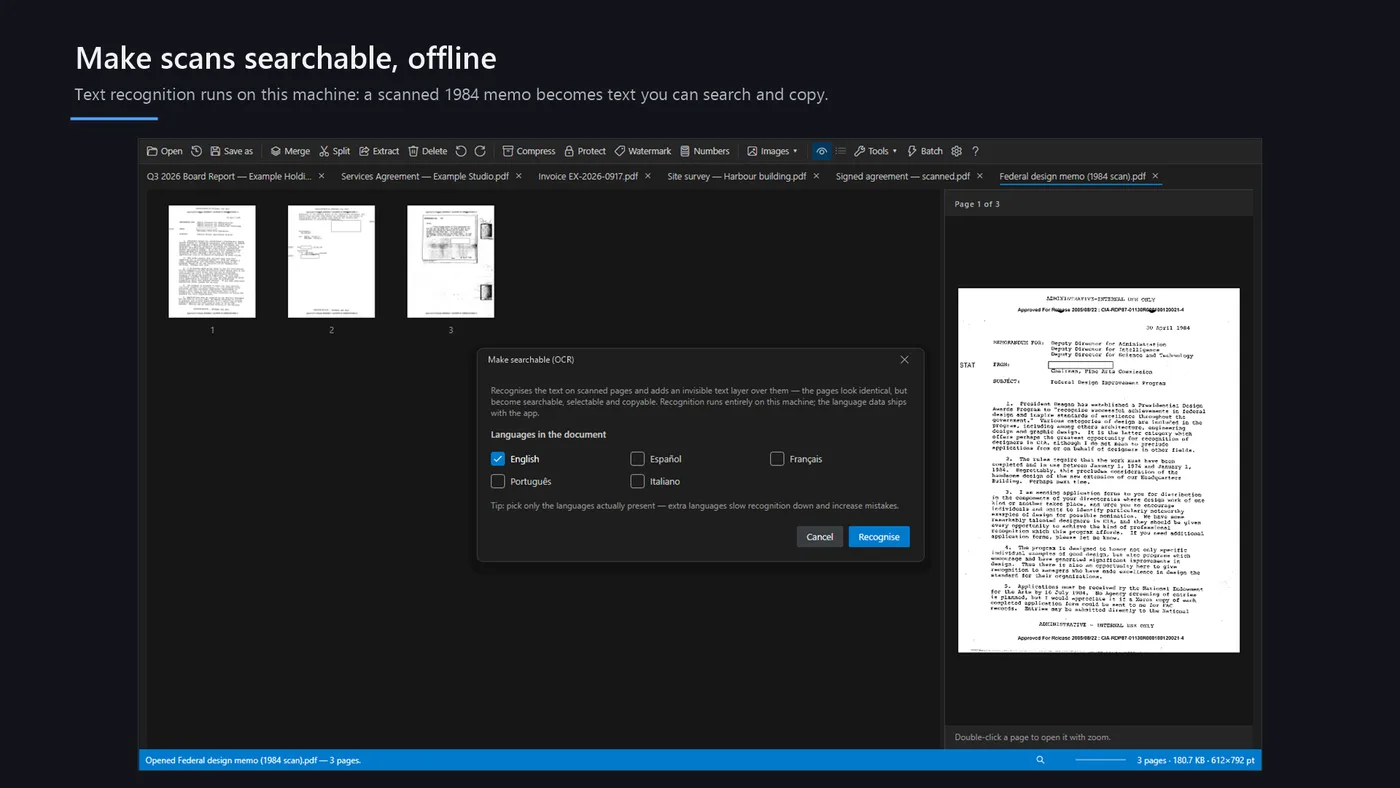
OCR — make scans searchable
A full Tesseract engine with bundled languages, adding an invisible text layer under the picture so the words are selectable and findable.
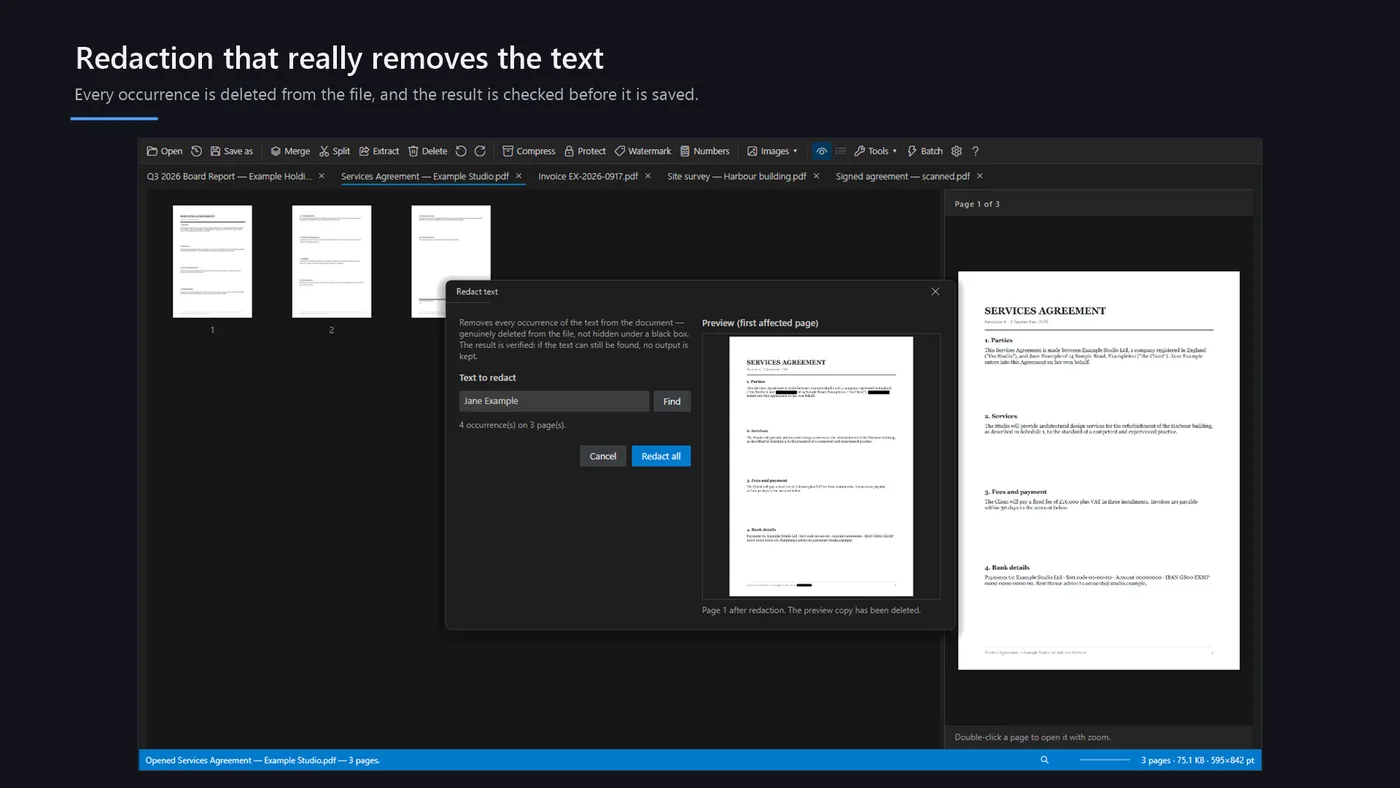
Verified redaction
Content is genuinely removed from the file, and then the output is searched for it to prove it is gone. A black rectangle drawn over text is not redaction.
Real compression
Image downsampling with quality presets and a compress-to-target-size mode — the web tool can only optimize structure.
Scanner workflows
Deskew and grayscale at print resolution, split double-page book scans, drop detected blank pages, and interleave the front and back sides of a stack.
Forms, bookmarks and stamps
Read and write AcroForm fields, edit the outline and split by chapter, and Bates-number a set with a live preview on the real page.
Batch, and big
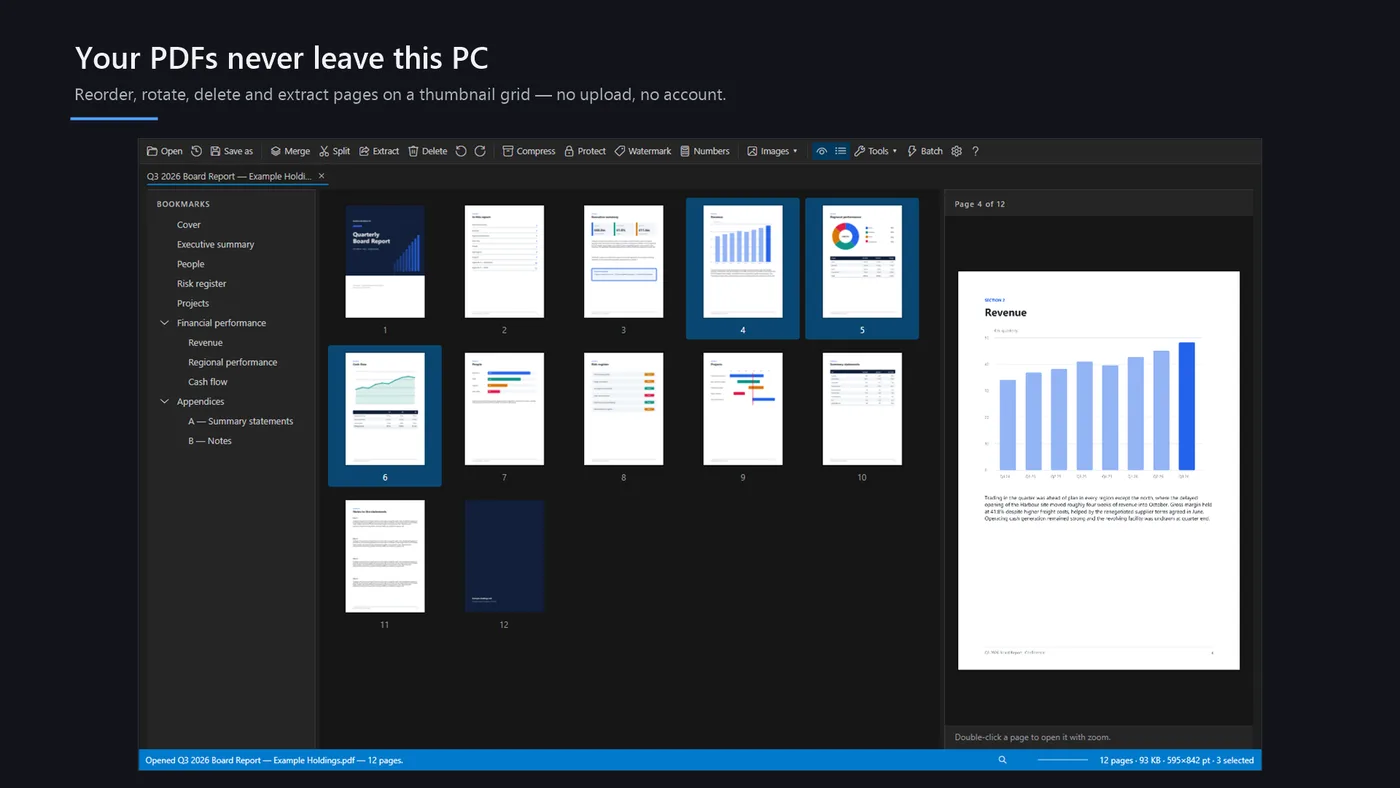
One operation across many files with failures isolated, and 500-page documents that would exhaust a browser tab's memory.
Free here, verified there
The PDF tools on this site merge, split, rotate, protect, watermark, crop and convert right in your browser — that is genuinely the whole job for most files. PDF Bag of Tools exists for the ones where almost-right is not good enough: a redaction you can prove, a scan that becomes searchable text, an archive-grade PDF/A, a document too large for a tab to hold. Same promise, a stronger engine.